How to Advertise on Instagram: Step-by-Step Setup, Costs and Budget
There are two ways to advertise on Instagram: the “Boost” button in the app and Meta Ads Manager. Both can get an ad live in minutes, but the results can be very different. In this guide we explain when to use which, how to set up a campaign in Ads Manager step by step, what determines what you pay, and how to plan your budget.
“How much does it cost to advertise on Instagram?” and “How do I run an ad?” are two of the most searched marketing questions. The short answer: Instagram ads have no fixed price, you set the budget, and an ad can go live in a few steps. The long answer, actually getting sales or sign-ups from that budget, comes down to making a few decisions well. Below we go through them in order.
Before you start: what you need
- A professional Instagram account. To advertise, your account must be a business or creator account. You can switch a personal account to professional in Settings in a few steps.
- A Facebook Page and a business portfolio. If you will use Ads Manager, connect your Instagram account to a Facebook Page and to your Meta business portfolio (Business Manager). This lets you manage the ad account, payment method and team access in one place.
- An ad account and payment method. Ads are billed through the ad account; its currency and time zone cannot be changed later, so choose them correctly at setup.
- Measurement. If you have a website, the Meta Pixel and the Conversions API; if you have an app, the Meta SDK or a mobile measurement tool. Without measurement you cannot tell whether an ad brought sales.
Boost or Ads Manager?
The “Boost” button under a post in the Instagram app turns that post into an ad in a few taps. It is fast but limited: you can usually pick only profile visits, website visits or messages as the goal, with no detailed measurement, placement choice or testing.
Meta Ads Manager is the full control panel for Facebook and Instagram ads. This is where you manage the campaign objective, audience, placements, budget split and conversion measurement.
| Boost | Ads Manager | |
|---|---|---|
| Setup time | A few minutes | 15–30 minutes |
| Campaign objective | Limited | Awareness, traffic, engagement, leads, app promotion, sales |
| Sales / conversion optimisation | None or limited | Yes (with pixel and events) |
| Placement and creative testing | No | Yes |
| Best for | Showing one post to more people | Any brand aiming for sales, leads or app installs |
The rule is simple: if the goal is only to show a post to more people, Boost is enough. If you want sales, leads or app installs, use Ads Manager.
Step-by-step setup in Ads Manager
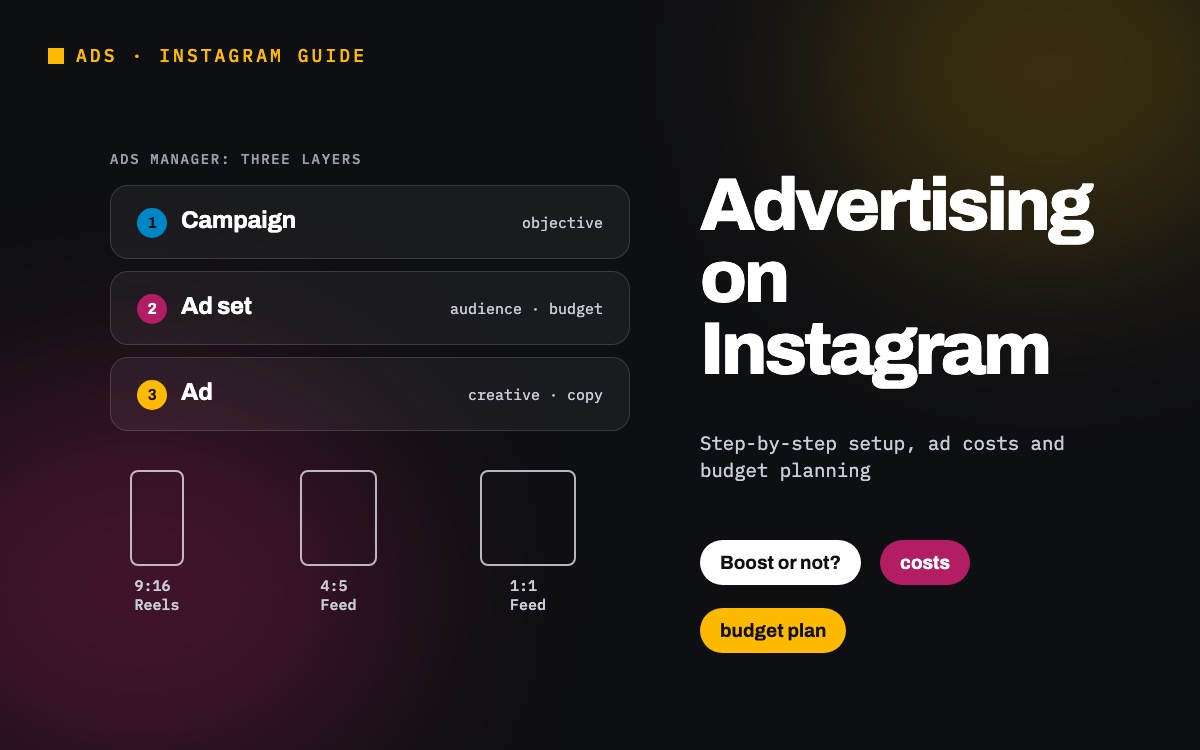
Meta ads have three layers: the campaign (objective), the ad set (audience, budget, placements, schedule) and the ad (creative, copy, link). Setup follows the same order.
1. Choose the campaign objective
Meta offers six objectives: Awareness, Traffic, Engagement, Leads, App promotion and Sales. The objective decides who the algorithm shows the ad to. Picking “Traffic” when you want sales is the most common mistake: the system finds people who click but do not buy. Choose the result you want as the objective.
2. Set budget and schedule
You can choose a daily budget or a lifetime budget. A daily budget suits campaigns that run continuously; a lifetime budget suits a campaign with fixed dates. If you keep the budget at campaign level, Meta distributes it across ad sets based on performance.
3. Define your audience
Location, age, gender and language are the basics. On top of that you can build three kinds of audience: detailed targeting by interests, custom audiences such as site visitors or customer lists, and lookalike audiences made of people similar to those lists. In most accounts today Advantage+ audience performs best: you give a starting signal and the system looks for people likely to buy.
4. Choose placements
On Instagram your ad can appear in Feed, Stories, Reels, Explore and the profile feed. With Advantage+ placements on, Meta moves budget to where it expects the cheapest result; for a new account this is usually the right choice. You can turn off Facebook and Audience Network placements to appear only on Instagram, but this often raises the cost per result. To measure which creative works in which placement, see our article on measuring by placement.
5. Build the ad
Choose single image, video, carousel or collection; enter the primary text, headline, call-to-action button and link. You can also use an existing Instagram post as the ad; its likes and comments stay visible on the ad.
6. Connect measurement and publish
At ad level, check that the pixel or app events are selected, and add UTM parameters to your link so you can see the campaign by name in Google Analytics. When you publish, the ad goes through Meta’s review; most ads are approved within 24 hours.
Creative: sizes and what makes an ad work
- Stories and Reels: vertical 9:16, 1080×1920 pixels. In Stories, keep text and logo out of roughly the top and bottom 14%; in Reels, also leave the larger area at the bottom clear, because the caption and buttons cover it.
- Feed: 4:5 (1080×1350) takes up the most space; 1:1 (1080×1080) also works.
- The first two seconds: people scroll very fast in Reels and Stories. Put the product, the benefit or a question that sparks curiosity at the very start.
- Works with and without sound: your videos should make sense when watched on mute; add captions or on-screen text.
- The platform’s language: on Instagram, content that does not look like an ad, shot on a phone and featuring a human face, often outperforms studio work.
- Several variations: do not start with a single creative. Launch with three or four different visuals and messages and scale the winner after the first week.
What determines Instagram ad costs?
There is no “package price” on Instagram. Every impression is decided in an auction, and what you pay depends on:
- Competition for the audience: the more advertisers want to reach the same people, the higher the price. The November sales period and the weeks before New Year are the most expensive of the year.
- Campaign objective: in a sales campaign, the cost per 1,000 impressions (CPM) is higher than in an awareness campaign, because the system finds people likely to buy, who are also in higher demand.
- Ad quality: Meta shows ads that people engage with at a lower cost. A weak creative reaches the same audience at a higher price.
- Placement: placements are priced differently; Stories and Reels are often priced differently from Feed.
- Conversion rate: even if an ad gets clicks at the same price, a slow site or a difficult checkout raises the cost per sale. That is why ad cost is not only about the ad.
Meta applies a small daily minimum; the amount depends on the account currency and is shown in the budget field in Ads Manager. Local taxes may be added to the invoice; check the payment settings of your ad account.
How to plan your budget
You can build the answer to “how much should I spend?” backwards:
- Set a target cost. Work out the most you can pay for one sale or lead. In e-commerce you can derive it from your margin, that is from break-even ROAS; details in our ROAS guide.
- Allow enough volume for learning. Meta says an ad set completes its learning phase once it collects about 50 conversions a week. With a target cost of 200, an ad set needs roughly 10,000 in weekly spend to learn.
- If the budget is not enough, simplify the goal. If you cannot reach that volume, use a more frequent event (such as add to cart) as an interim goal, or reduce the number of ad sets and concentrate the budget in one place.
- Make changes slowly. Doubling the budget at once or editing the ad often can reset learning. Increase the budget gradually.
How to measure results
The sales count in Ads Manager uses Meta’s own attribution model: it can include people who saw the ad without clicking and bought later. Google Analytics counts only sessions that reached the site. It is normal for the two screens to show different numbers. What matters is reading the number you make decisions on with one definition: which source, which attribution window, revenue with or without VAT. Core metrics to track:
- Cost per result (per sale, lead or install)
- ROAS (in e-commerce)
- Link click-through rate: whether the ad catches interest
- Frequency: how many times the same person saw the ad. If frequency rises while click-through falls, the creative is worn out.
The most common mistakes
- Choosing a traffic or engagement objective when you want sales.
- Running ads without the pixel and measuring results only by likes.
- Narrowing the audience too much: with a few thousand people the system cannot learn and the price goes up.
- Splitting the budget across many small ad sets.
- Running a single creative for weeks.
- Switching a campaign off after two or three days, before the learning phase is over.
When should you get professional help?
You do not need an agency to start with Boost on a small budget. As ad spend grows, though, the details decide the result, and those details need the same care every day:
- Measurement: the pixel, the Conversions API, UTM tags and Google Analytics should count the same sale the same way. Otherwise you may switch off a campaign that works and scale one that does not.
- Creative: visuals should be tested regularly, and a tired ad should be refreshed before performance drops.
- Budget: money should move to winning campaigns without waiting for the month-end report.
- Cross-channel planning: Instagram, Google, TikTok and other channels should be managed against one goal, without each claiming the others’ sales.
An experienced team does more than build ads. It watches your account every day, explains its decisions with data and tells you each month what worked and why. As a Meta and Google partner, that is the work we do with brands: setting measurement up properly, basing decisions on evidence and making growth sustainable.
If you are wondering whether your Instagram ads could perform better, tell us briefly about your account through our contact form. We will look at it together and show you what could be improved and how. You can find the details of our services on our Google, Meta, TikTok and Yandex ads page.
Frequently asked questions
- How much does it cost to advertise on Instagram?
- There is no fixed fee. You set the budget and the price is set in an auction. Cost depends on competition for the audience, the campaign objective, ad quality, placement and season; November and the weeks before New Year are the most expensive.
- Do I need a business account to advertise on Instagram?
- Yes. Your account must be a business or creator (professional) account. To use Ads Manager, connecting it to a Facebook Page and a Meta business portfolio is recommended.
- What is the difference between Boost and Ads Manager?
- Boost turns a post into an ad in a few taps from the app, but its goal, measurement and testing options are limited. Ads Manager offers sales and conversion objectives, detailed audiences, placement choice and creative testing.
- When does an Instagram ad go live?
- After you publish, the ad goes through Meta’s review. Most ads are approved within 24 hours; ads that break the advertising policies are rejected and the reason is shown in Ads Manager.
- What size should an Instagram ad be?
- Vertical 9:16 (1080×1920) for Stories and Reels, and 4:5 (1080×1350) or 1:1 (1080×1080) for Feed. In vertical formats keep text and logo away from the top and bottom edges.
Let’s look at your Instagram ads together.
Write to us →